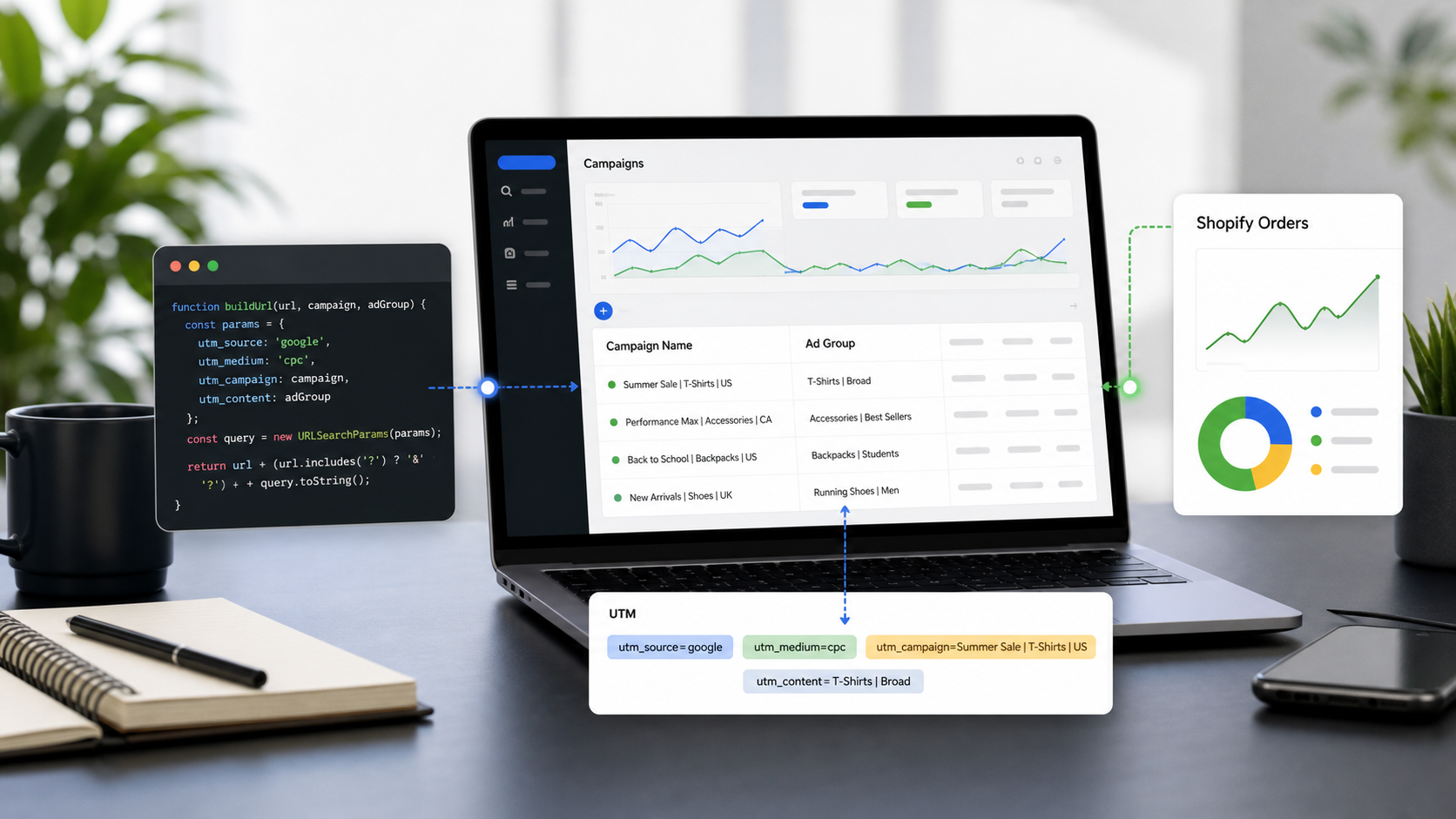
While Google Analytics (GA4) thrives on multiple UTM parameters, Adobe Analytics (AA) operates most efficiently using a Single-Parameter Strategy paired with Classifications (SAINT).
In 2026, with URL lengths being truncated by privacy-focused browsers and ITP 26, the best practice is to move away from "messy" URLs and toward an "ID-First" architecture.
Adobe Analytics UTM Best Practices: The 2026 "Single-Key" Protocol
1. The Core Concept: cid vs. utm
Adobe Analytics does not natively "look" for UTM parameters. While you can use them, the industry standard for 2026 is to use a single query parameter—usually cid (Campaign ID)—which serves as the "Tracking Code."
The Problem: Using 5-7 UTM parameters makes URLs long, prone to character-limit stripping, and difficult to manage.
The 2026 Solution: Use utmmind.com to generate a unique, short
utm_id(e.g.,cid=a2026-993). Adobe then "classifies" this ID into dozens of dimensions (Source, Medium, Creative, Region) on the backend.
2. The Unified Mapping Table (2026 Standards)
To maintain compatibility between GA4 and Adobe Analytics, your tracking links should look like this:
https://yoursite.com/?utm_id=a2026-993&utm_source=google&utm_medium=cpc...
Adobe will capture the utm_id into the Tracking Code (v0) dimension. You then use Classification Importer to expand that ID into the following:
Adobe Dimension | Corresponding UTM | Example Data (Classified) |
Tracking Code (Key) |
|
|
Campaign Name |
|
|
Channel |
|
|
Source Platform |
|
|
Creative ID |
|
|
Marketing Tactic |
|
|
3. Implementation Steps: Leveraging utmmind.com
Step A: Generate the ID
Instead of manually creating strings, use utmmind.com to create your campaign. The tool will output a unique Campaign ID.
Requirement: Ensure the ID is case-insensitive and contains no special characters other than hyphens.
Step B: Data Privacy & The "Hidden" Data
By using utmmind.com to manage your Classification Files, you don't expose your entire strategy in the URL.
Privacy Benefit: Competitors can see your
utm_id=a2026-993, but they cannot see your internaltactic,audience-segment, orbudget-codebecause that data is stored inside Adobe’s Classification layer, not the URL.
Step C: Auto-Classification Upload
Export your tracking sheet from utmmind.com as a CSV formatted for the Adobe FTP/SFTP Classification Importer.
Go to Admin > Classification Importer.
Upload the file.
Adobe will retroactively apply the "Source," "Medium," and "Campaign Name" to every click associated with that ID.
4. Technical Configuration in Adobe Launch (Data Collection)
To capture UTMs for GA4 while simultaneously fueling Adobe Analytics, use this logic in your Adobe Experience Platform (AEP) Launch tags:
JavaScript
// Example: Mapping utm_id to Adobe s.campaign
var params = new URLSearchParams(window.location.search);
if (params.has('utm_id')) {
    s.campaign = params.get('utm_id').toLowerCase(); // Always enforce lowercase
} else if (params.has('cid')) {
    s.campaign = params.get('cid').toLowerCase();
}
5. 2026 Q&A: Adobe Analytics Specifics
Q: Should I use utm_source or Adobe's Marketing Channels?
A: Use both. Capture the utm_id into the s.campaign variable for "Paid" attribution. Let Adobe’s Marketing Channel Processing Rules handle "Organic" and "Direct" traffic based on the referrer.
Q: What happens if the utm_id is missing?
A: In 2026, "untracked" traffic is your biggest enemy. utmmind.com provides a "Validator" feature. Before any ad goes live, the platform pings the URL to ensure the utm_id is present and the Adobe tags are firing.
Q: Can Adobe Analytics handle ITP 26's 24-hour cookie limit?
A: Yes, but only if you use CNAME (First-party data collection). Ensure your tracking server is metrics.yourdomain.com and not omtrdc.net. This keeps your UTM/CID attribution window open for 7–30 days instead of 24 hours.
VI. Summary Checklist for Adobe Users
Stop Hardcoding Names: Use
utm_idas the only source of truth in the URL.Centralize via utmmind.com: Manage the mapping between the ID and the descriptive metadata (Source/Medium) in one place.
Enforce Lowercase: Adobe is case-sensitive for the Tracking Code dimension.
Use Classifications: Keep your URLs short and clean for better SEO and social sharing.